
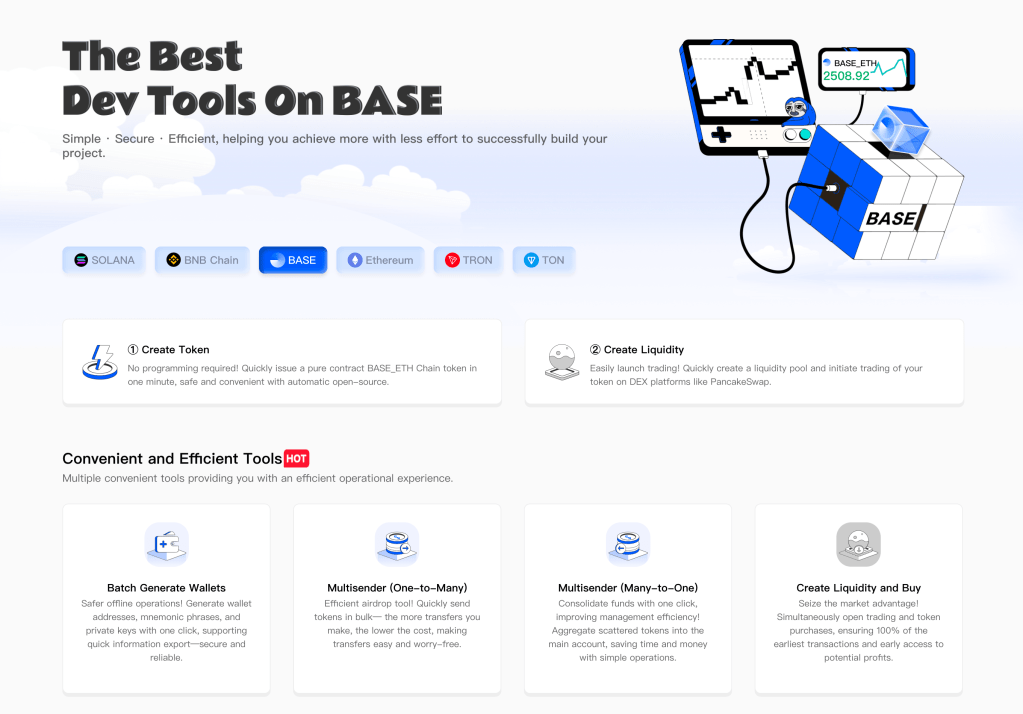
Creating a Token on Base with One Click Using https://base.slerf.tools/en-us/token-creator/eth
Creating a token with a “one-click” tool like https://base.slerf.tools/en-us/token-creator/eth on the Base chain is a simple, no-coding process. Base is an Ethereum-based Layer 2 solution compatible with the Ethereum Virtual Machine (EVM), so its token standard is typically based on ERC-20. Your stated goal is to create a standard, featureless token (e.g., a memecoin) and renounce ownership after creation. Here are the specific steps:
Step-by-Step Guide
Preparation
- Install MetaMask: Ensure you have MetaMask installed (https://metamask.io) and configured for the Base network.
- Configure Base Network:
- Open MetaMask and click “Add Network”:
- Network Name: Base Mainnet
- RPC URL: https://mainnet.base.org
- Chain ID: 8453
- Currency Symbol: ETH
- Block Explorer: https://basescan.org
- Save and switch to the Base network.
- Open MetaMask and click “Add Network”:
- Acquire ETH: You’ll need a small amount of ETH on Base to pay Gas fees. Transfer ETH from the Ethereum Mainnet to Base via a cross-chain bridge (e.g., Base’s official bridge at https://bridge.base.org), or purchase and withdraw it to your MetaMask address from an exchange supporting Base.
Access the Token Creation Tool
- Open your browser and visit https://base.slerf.tools/en-us/token-creator/eth.
- The tool typically offers a user-friendly interface in English (based on the URL) and may support switching to other languages.
Connect Your Wallet
- Click the “Connect Wallet” button or similar on the page.
- MetaMask will prompt an authorization request; confirm the connection to your Base network wallet address.
Configure Token Parameters
- Enter the following details:
- Token Name: e.g., “MyMemecoin”
- Token Symbol: e.g., “MMC” (a short letter combination)
- Total Supply: e.g., 1,000,000 (1 million tokens)
- Decimals: Default is 18 (ERC-20 standard)
- Since you want a simple token, ensure no advanced features (e.g., taxes, burning, or permission retention) are selected. The tool may offer a “standard token” option by default.
Create and Deploy the Token
- After confirming the parameters, click “Create Token” or a similar button.
- MetaMask will display a transaction confirmation window showing the Gas fee (usually very low on Base, possibly under 0.01 ETH). Confirm the transaction, and the tool will deploy the token contract to the Base chain.
- Wait a few seconds (Base transactions are fast), and upon completion, you’ll receive a contract address.
Verify the Token
- Copy the contract address and visit the Base block explorer (https://basescan.org) to view token details.
- Add the token to MetaMask: Click “Import Tokens,” enter the contract address, and the symbol and decimals will auto-fill.
- Verify the total supply is correct, and all tokens should appear in your wallet.
Renounce Ownership
- If the tool supports automatic ownership renunciation (i.e., “Renounce Ownership”), this will be done during deployment, leaving the contract without administrative permissions (e.g., minting or modifying functions).
- For manual verification, check the contract code on Basescan to ensure the owner field is empty or related administrative functions are disabled.
Notes
- Fees: Gas fees on Base are extremely low, but ensure your wallet has sufficient ETH (at least 0.02 ETH recommended to account for network fluctuations).
- Security: Verify you’re using the official link (https://base.slerf.tools) to avoid phishing sites. Test the process on the Base Testnet (RPC URL: https://sepolia.base.org, Chain ID: 84532) first, where testnet ETH is available via faucets.
- Next Steps: To make the token tradable, add liquidity on Uniswap (Base version) or another DEX.
Tool Features (Speculation)
Based on the design of similar tools (e.g., bsc.slerf.tools), https://base.slerf.tools/en-us/token-creator/eth likely:
- Supports one-click deployment of standard ERC-20 tokens.
- Renounces ownership by default (if no special features are set).
- Provides a contract address and transaction hash for verification.
If the tool’s interface differs from these steps, adjust according to its prompts, but the core process remains consistent. Upon completion, you’ll have a clean, standard token on Base! Feel free to ask me any further questions.
Discover SlerfTools: Your Key to Memecoin Success!
SlerfTools makes memecoin creation a breeze with one-click tools, real-time market-making adjustments, data-driven optimization, and beginner-friendly guides. Whether you’re designing tokens, stabilizing liquidity, or boosting profits, SlerfTools has you covered. Try SlerfTools now and kickstart your crypto journey!

Leave a comment